
Proplix topic library
Sales & Marketing Hub
CRM profiles, campaign management, email consent, public content, workflow automation and connected client work.
36 guides in this topic · Browse all topics
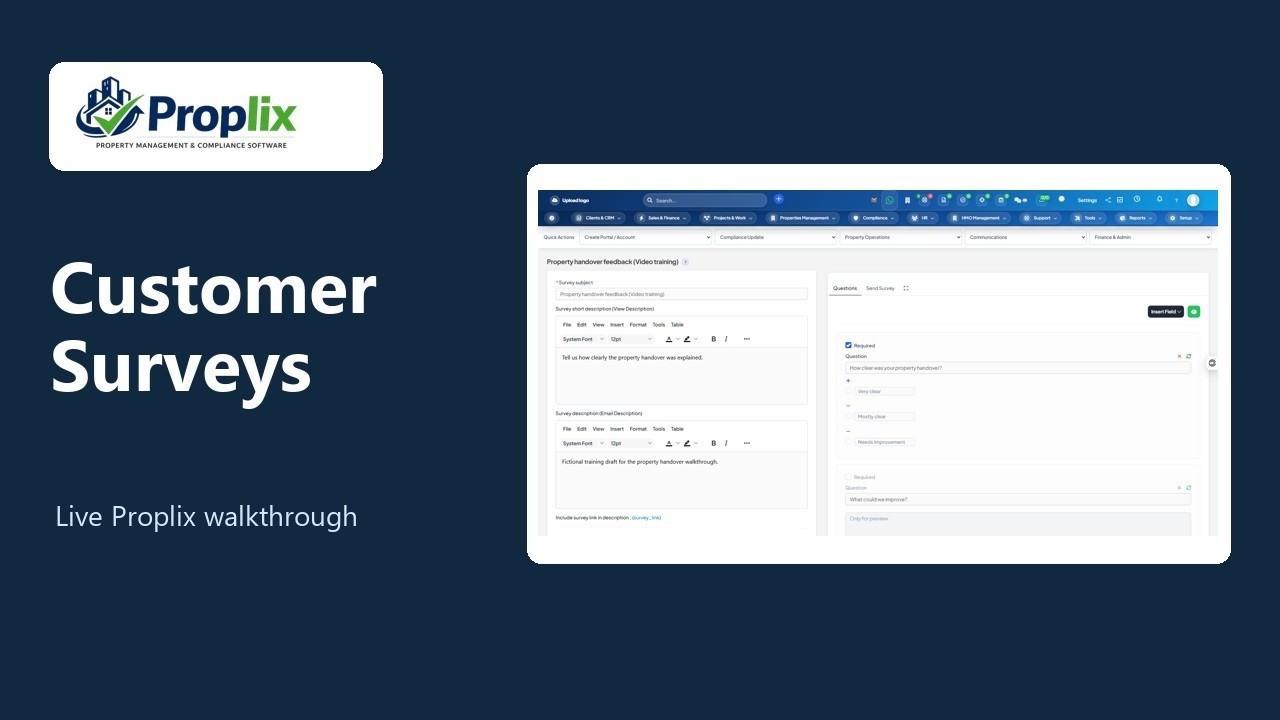
Create a customer feedback survey
Follow one Marketing Hub workflow from drafting the survey to previewing both questions.
Topic library
Sales & Marketing Hub guides
36 guides · Showing 1–24. Search by task, field, module or question.
Sales & Marketing Hub: complete CRM and campaign guide
Follow the full Hub workflow for CRM profiles, campaigns, consent, email, content, service, scoring, automation and connected client work.
Read the guide →Sales & Marketing HubFind the Marketing Hub and set staff permissions
Open the correct Hub workspace and understand which permissions control records, resource editing, review, publication and delivery.
Read the guide →Sales & Marketing HubCreate, find and edit Hub resource drafts
Save a campaign, email, audience, workflow or content resource, then find it again without publishing it by accident.
Read the guide →Sales & Marketing HubReview, publish, pause and restore Hub resources
Move a draft through independent review and publication, and understand what pausing or archiving actually stops.
Read the guide →Sales & Marketing HubCompare revisions, duplicate drafts and export Hub resources
Review what changed, reuse approved ideas as new drafts and export an accessible resource definition for reference.
Read the guide →Sales & Marketing HubManage contact, company and lead lifecycle profiles
Find existing CRM records and maintain Hub lifecycle, score and health without creating a second customer database.
Read the guide →Sales & Marketing HubLog Hub activities and manage shared native tasks
Record calls, meetings and notes, prepare drafts and create follow-up tasks with the correct native task handoff.
Read the guide →Sales & Marketing HubRecord marketing permission and respect unsubscribe requests
Record evidence for the current recipient address and understand why suppressed addresses cannot be re-subscribed through the Hub form.
Read the guide →Sales & Marketing HubBuild audiences and preview matching CRM records
Create reusable contact, company or lead criteria and inspect the full authorised matching count before using an audience.
Read the guide →Sales & Marketing HubCreate campaign plans, budgets and measurable goals
Give a campaign a clear objective, original-currency budget, dates and an operational goal your team can actually verify.
Read the guide →Sales & Marketing HubAttach campaign assets and review observed results
Bring the right emails, forms and workflows into a campaign without copying them, then inspect the outcomes the Hub records.
Read the guide →Sales & Marketing HubWrite and personalise a marketing email draft
Prepare the subject, inbox preview and body, using supported personalisation fields with useful fallback text.
Read the guide →Sales & Marketing HubBuild email and page content in the design studio
Arrange supported content blocks, choose a theme and save a structured design without writing HTML or changing a live publication.
Read the guide →Sales & Marketing HubPreview content and resolve design quality checks
Check the content your audience will see and distinguish a publication blocker from useful design advice.
Read the guide →Sales & Marketing HubSelect recipients and schedule approved Hub email
Queue a published marketing email for explicitly selected eligible contacts or leads, immediately or at a future UTC time.
Read the guide →Sales & Marketing HubMonitor, reschedule and cancel Hub email delivery
Understand queue outcomes, change a queued schedule and handle uncertain SMTP results without creating duplicate messages.
Read the guide →Sales & Marketing HubEnable or pause the Hub outbound email boundary
Review the connected workspace and explicitly control whether approved queued marketing email may use the existing SMTP transport.
Read the guide →Sales & Marketing HubCreate a lead capture form and review private submissions
Publish a branded enquiry form, collect the required privacy acknowledgement and read submissions without silently creating CRM records.
Read the guide →Sales & Marketing HubPublish landing pages, blog posts and knowledge articles with SEO metadata
Build useful public content, set its search title and description, and decide which published pages can appear in the module sitemap.
Read the guide →Sales & Marketing HubCreate NPS and CSAT feedback surveys
Ask a focused customer feedback question, publish the survey and review individual responses with privacy controls.
Read the guide →Sales & Marketing HubDocument service response and resolution targets
Create a reviewed service policy with priority, response and resolution targets that your team can reference consistently.
Read the guide →Sales & Marketing HubBuild sales follow-up sequences and playbooks
Prepare repeatable internal follow-up steps and sales guidance without treating a draft activity as a sent email.
Read the guide →Sales & Marketing HubBuild a branching CRM workflow with approved dependencies
Configure conditions, profile changes, scoring, follow-up work and approved email queueing in a valid workflow graph.
Read the guide →Sales & Marketing HubEdit and rehearse workflows on the visual journey canvas
Arrange workflow steps, connect branches and test the current canvas before saving a reviewed automation draft.
Read the guide →